From Voice Note to CRM - How AI Agents Capture, Qualify, and Follow Up in Minutes

CEO The Librarian
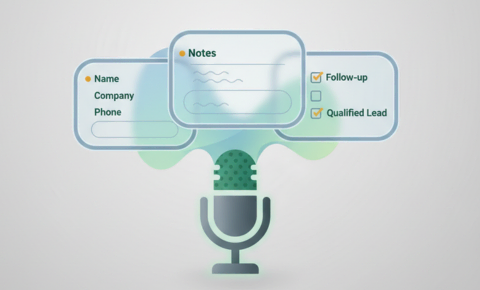
Turn voice notes into CRM updates instantly with AI. Speak once and The Librarian transcribes, extracts details, updates records, drafts follow-ups, schedules meetings, and creates tasks. Eliminate typing and tab-switching for sales teams and professionals.
Let’s keep this simple. You’re juggling messages, meetings, and a dozen “I’ll do it later” notes. Instead of sitting down to type, imagine you say one short voice note and everything updates itself. That is what The Librarian does. Think of an AI agent as software that understands your intent, takes actions across your tools, and follows through without you micromanaging it. The Librarian is that kind of AI agent, it listens to your note, interprets what you want, and then executes the work across your CRM, calendar, and communications so your words become the right fields, the right record, and the next best step. No extra tabs, no retyping, no losing the thread.
What AI agents solves in CRM
A quick voice note becomes a clean CRM update and a same-day follow-up without you opening a laptop. The Librarian transcribes what you said, pulls out the important bits like names, companies, intent, and timeline, then updates your CRM or project tool and proposes the next step. You keep moving, your system stays accurate.
How Voice Notes Become Structured CRM Updates
Picture this: “Spoke with Jamie at Northline, interested in the Team plan, wants pricing and rollout steps.” That is all you say. The Librarian finds or creates the contact, tags interest and priority, and saves a tidy summary. It suggests a short follow-up message, offers to hold a calendar slot with a Zoom link, and creates a task with an owner and due time. If something is missing, it drafts a friendly question to fill the gap. Your note and the summary are saved so anyone on the team can see what happened and what happens next.
CRM Operating Patterns Enforced By AI Agents
Give each new item 48 hours to move. If it stalls, The Librarian nudges the owner and suggests a next step so progress does not depend on another meeting. After customer calls, keep summaries to two sentences, what we heard and what we will do. The Librarian formats that, saves it to the timeline, and shares it in your team channel so everyone stays aligned without long write-ups. When you make a call that matters, say it and tag it as a decision, add an end date if it might change, and The Librarian will remind the owner before it goes stale. For handoffs, say handoff and a deadline. The Librarian creates the task, includes a ready-to-send client message, and waits for the new owner to accept. Need to explain something fast? Ask for a micro-demo and Librarian drafts a 60-second script, bullet points, and a follow-up with the recording link.
Avoid These Pitfalls
Skip the rambles. End with one clear next step and a time. Do not route work to a generic queue, name an owner so it lands with a human. Keep tags short and agreed, clean them monthly. And do not leave updates sitting in chat. Say save to CRM or log to project and let Librarian confirm it is done.
What To Set Up Once
Decide who is on the team, where each type of update should be saved, the few fields you always want, and simple routing rules for ownership. Set it once, then focus on clarity and speed.
How To Know It Is Working
Watch a few easy signals. Notes should land in your system in under a minute. Most entries should have one clear next step. Owners should accept or reassign quickly. Deals and projects should move stages on time. Follow-ups should get replies within a day. If those are trending up, the workflow is doing its job.
A Day That Runs Itself
Morning, you capture a lead by voice and suggest a time. Late morning, The Librarian updates the record, drafts your reply, and sets a prep task. Afternoon, the prospect says yes, a calendar invite with a Zoom link goes out, and a short checklist is assigned. On the way home, you send a two-sentence recap, and The Librarian posts it to your CRM and team channel. One note, many updates, zero friction.
Closing This Out
You don’t need a new tool or a new habit. You need a faster way to get what’s in your head into the places your team relies on. Say it once, let The Librarian handle the busywork, and keep your day moving. Tomorrow morning, try one simple rule: end every note with a single, clear next step. Give it a week. If your follow-ups speed up and your pipeline looks cleaner, keep going.